Short answer
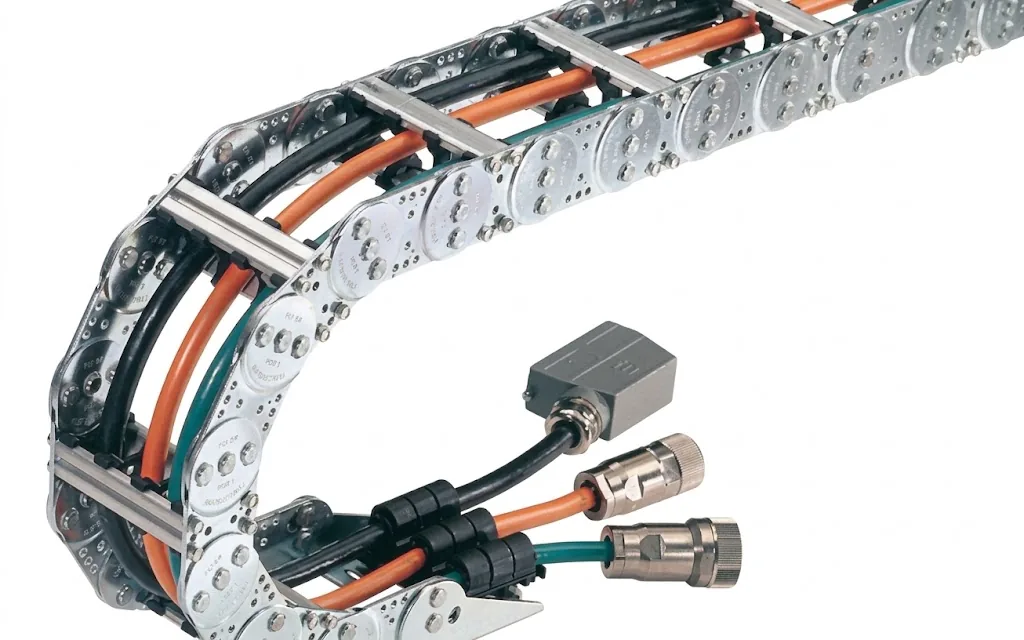
A cable carrier consists of links with crossbars, an interior layout with dividers and shelves, strain relief and end fixings at the fixed point and the driver. Long, gliding travel paths add a guide channel and gliding shoes.
A cable carrier consists of seven kinds of parts: links, crossbars, end fixings, dividers, shelves, strain relief and, for long travel, a guide channel with gliding shoes. Together they determine how the carrier moves and how the cables lie inside it.
If you know the parts, you order the right thing faster, lay in cables better and can replace parts selectively instead of the whole carrier. What a cable carrier is and how it works is explained in what is a cable carrier. The many names in use for the same parts are listed in cable carrier, energy chain or drag chain.
What parts does a cable carrier have?
This overview follows the construction from the outside in, and from one connection to the other:
| Part | What it does | When to replace or reorder |
|---|---|---|
| Links | Form the sides, determine pitch and bending radius | For a broken or worn link, or to extend the carrier |
| Dividers | Connect the sides and keep the cables inside | For a broken or lost crossbar, or for a different width |
| End fixings | Connect the carrier to the fixed point and driver | For a conversion, a different mounting direction or damage |
| Dividers | Divide the width into compartments | When cables chafe against each other or when adding cables |
| Shelves | Create levels in the height | For a new layout or when levels get mixed up |
| Strain relief | Clamps the cables at the ends | When cables start to shift or when replacing cables |
| Guide channel and gliding shoes | Guide the carrier on long, gliding travel paths | For wear on the underside or when the carrier runs out of the channel |
Links: pitch, radius and material
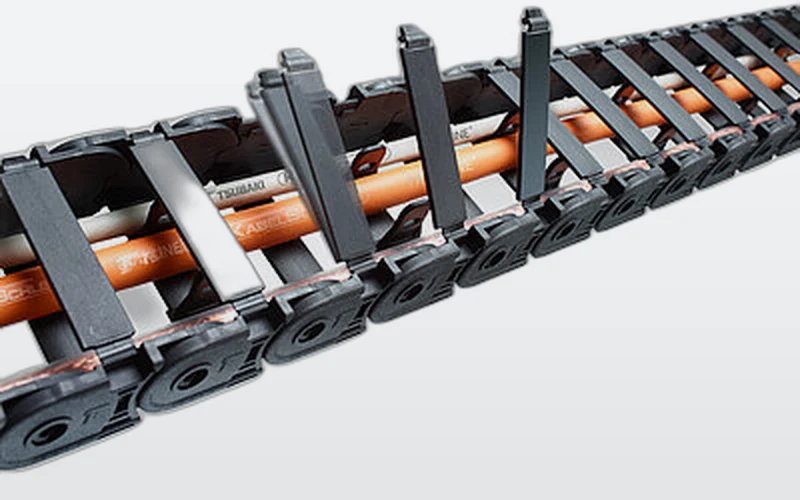
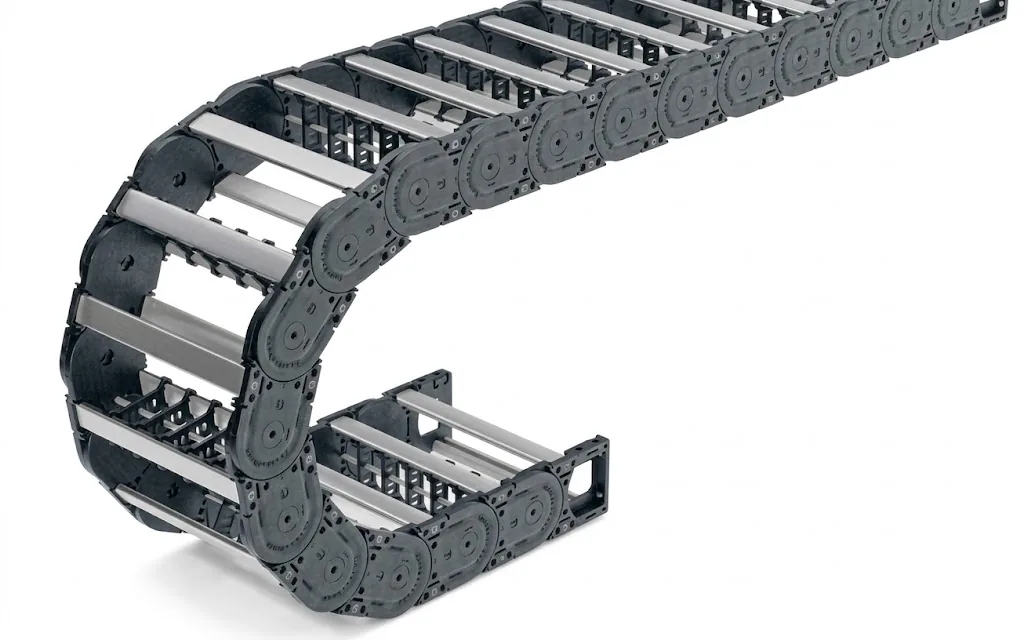
The links are the sides of the carrier. They are hinged together and have a stop that determines how far they can bend. This fixes the bending radius. The distance between two hinge points is the pitch: the length of one link and the unit to which the total length is rounded.
Many series let you choose from several radii per link. So the same carrier can be supplied with a tight or a generous bend. You make that choice based on the thickest and most sensitive cable: at least 7.5 × the diameter, preferably 10 × for frequent movement. How to calculate it is explained in determining the bending radius.
Links come in glass-fibre reinforced plastic and in steel. Plastic is light and quiet. Steel can carry more and is better able to withstand heat and hot chips.
Crossbars: how do you open a cable carrier?
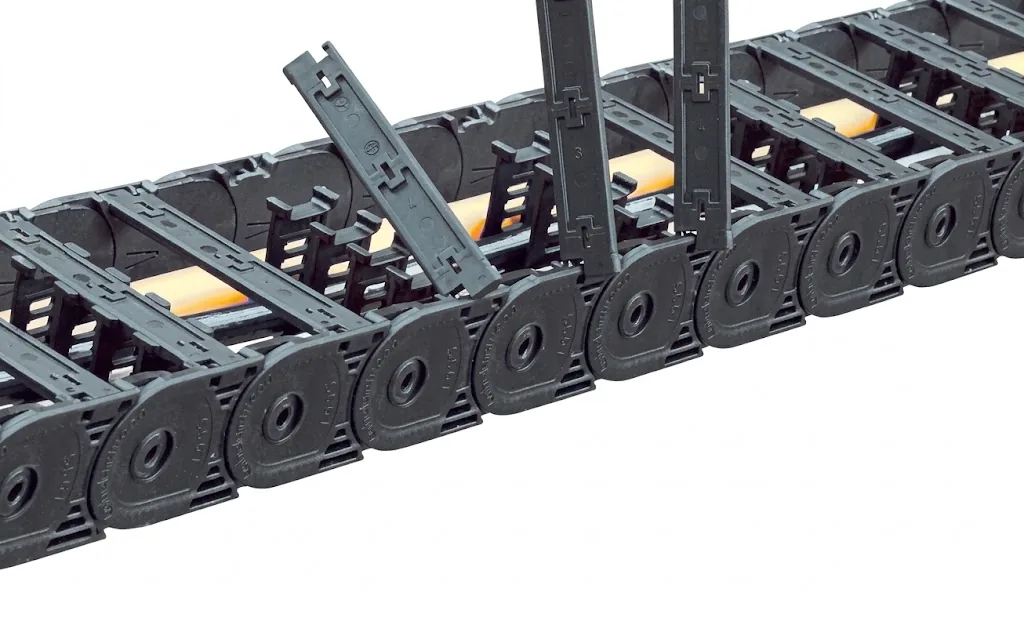
The crossbars connect the two sides, top and bottom. Their length determines the inner width. In series with variable width, such as the M series, you choose that width freely within a range. Other series have fixed widths.
To lay in cables, you open the crossbars. Depending on the series, this is done on the inside of the bend, on the outside or on both sides. There are also series without crossbars to open: with EasyTrax® and QuickTrax® you press the cables into elastic lamellae. Closed carriers have a solid cover instead of separate crossbars, to keep out chips and dirt.
Interior layout: dividers and shelves
A good layout matters just as much as the right carrier. Cables and hoses that lie mixed up chafe, twist and push each other out of the bend. That is why you divide up the interior:
- Dividers stand vertically and divide the width into compartments. This keeps hoses and cables separate, and heavy and light cables do not lie against each other.
- Shelves create two levels. For example, you can lay thin signal cables above thick power cables without them pressing on each other.
For the layout: distribute the weight symmetrically, place the heaviest cables on the outside and give every cable room. Calculate with the effective diameter (cable × 1.10, hose × 1.20) and keep the fill level below 85%. Between 85 and 90% it is tight, above 90% too full. You can check this with calculate fill level. Read more about dividers and weight in calculating fill weight.
In ChainLogic you draw the cross-section to scale. You place cables, hoses, dividers and a shelf, and see right away whether anything collides and how full the carrier is.
Calculate it yourselfChainLogicLay out cables, hoses and dividers in the cross-sectionOpen ChainLogicStrain relief and end fixings
The cables lie loose in the carrier, but they must be fixed at the ends. That is what the strain relief does: clamps or brackets at the end fixing that hold the cables in place. Do this on both sides. Without strain relief, cables shift a little with every movement, pull tight in the bend and break.
The end fixings connect the carrier to the fixed point and to the driver on the moving part. They have to suit the construction of your machine: there are versions you fasten from above, from below or from the side, in plastic and steel. If you choose a different mounting direction, you only swap the end fixing, not the carrier. Installation tips are in installing a cable carrier.
Guide channel and gliding shoes for long travel
On short travel the carrier supports itself: unsupported. On long travel the upper run lies on the lower run and glides over it. Then you need a guide channel that keeps the carrier in place, and often gliding shoes that protect the links against wear. When to choose which layout is explained in unsupported or gliding.
If a carrier runs out of the channel or the underside wears quickly, the cause is often the channel, the alignment or the gliding shoes. The troubleshooting guide cable carrier runs out of the channel helps you find the cause.
Replacing or reordering parts
A damaged carrier does not always need to be replaced entirely. Often one of these is enough:
- Replacing links or crossbars: damaged parts out, new ones in
- Shortening or extending: for a different stroke or a new layout, always in whole links
- Replacing cables: new cables in the existing carrier, with the right layout and strain relief
- Converting: a different end fixing, extra dividers or a different inner width
Links, crossbars and end fixings differ per series and per type. So always state the type of carrier when ordering. If you know the article number or the type, enter it on the parts and repair page. If it is missing, send a photo and the dimensions.
Not sure whether the carrier is still in good shape? Go through the points in the Carrier check. For a complete check of all carriers in your installation there is the maintenance and inspection service.
Frequently asked questions
What is a crossbar on a cable carrier?
A crossbar is the cross connection between the two sides of a link. The crossbars keep the cables inside and determine the inner width. In many series they can be opened to lay in cables.
What is the difference between a divider and a shelf?
A divider stands vertically and divides the width into compartments. A shelf lies horizontally and creates two levels. Together they keep cables and hoses separated.
Can you order individual links for a cable carrier?
Yes. Links, crossbars, end fixings and dividers can be ordered separately. They differ per series and type, so always give the type or the dimensions of your carrier.
Does every cable carrier need a guide channel?
No. An unsupported carrier does not need a channel. A channel is needed for gliding layouts, where the upper run glides over the lower run, usually on long travel.
Why is strain relief needed in a cable carrier?
Strain relief fixes the cables at both ends. Without strain relief, the cables shift with every movement, pull tight in the bend and break sooner.
Next step
Calculate it yourself or browse the range. We check your result free of charge.
Series on this topic
Question about this topic?
Ask Bas directly
Cable Carriers Specialist at Wisman Techniek